#linux
4956 posts · Last used 2h
Boosted by @welcome@friends.deko.cloud
Hello World !
Je débarque ici pour avoir une autre vision des RS.
Passionné par #Linux, l'#OpenSource, l'#AutoHebergement et le #DevOps, j'ai créer une chaîne Youtube, mais en ce moment je suis plutôt sec sur les publications.
Au plaisir d’échanger avec vous toot(s) 😀
#Introduction #SysAdmin #SelfHosting
ABRoot Partitioning.
Can anyone explain how that partitioning scheme works and how to use it…?
Am trying to install Vanilla OS and want to use manual partition.
Tanx
Linux 7.5 To Provide More AMD Ryzen AI NPU AIE4 Enablement
Even before the Linux v7.4 merge window was over, there were already two pull requests of drm-misc-next material targeting for what will be Linux 7.5. This week already saw the third drm-misc-next pull request of more feature patches targeting this next kernel version.
This week’s drm-misc-next pull brings Rockchip RK3568 support to the Rockchip DRM display driver. The RK3568 is a quad-core Arm Cortex-A55 SoC with a Mali-G52 2EE GPU and a small NPU and VPU too. The RK3568 is found in some industrial/embedded PCs, some NAS devices, and single board computers. Nice seeing the continued work on improving mainline kernel support for Rockchip SoCs.
Separately there are also a number of additional display panels now supported by the mainline kernel including the DCLTek 300249 5.5", DLCTek 300248 10.5", Novetake NT37705, xiaomi-lavender, Tianma TL063FVMC43-02, Tianma TL063FVMCA01-00, Tianma TL060FVXS16-00, TXD TXDI600YANPA-43V3, AUO B101UAN01, Truly NT36850 WQHD, Novatek NT36850, Samsung AMS644VK04, Hitachi TX10D07VM0BAA, LG LH400WV3-SD04, and Mingjun MJ070BI30IA2.
AMD Ryzen AI
The AMDXDNA accelerator driver for Ryzen AI NPus meanwhile saw support added for a new 6.0 firmware release, adding NPU3 classic device support, get/set power mode handling for new AIE4 hardware, and other AIE4 enabling like suspend and resume, clock / DPM frequency / resource information queries, AIE4 command submission, and other important additions. Over the course of this year and the past few kernel versions there’s been a lot of enablement work around the AIE4 hardware that presumably is the next-gen Ryzen AI NPU to be found with the upcoming Zen 6 based client platforms launching in the new year. Hopefully with Linux 7.5 the AIE4 hardware support will be in good standing.
The full list of drm-misc-next feature patches for the week via this pull request.
Linux 7.4-rc2 Released With FAT32 Optimization, AMDGPU HDMI 2.2 Improvement
Linus Torvalds just released the second weekly release candidate of Linux 7.4 with some notable bug fixes and other changes routed in past the merge window. It’s another big one in the AI era.
This week brought some adjustments to the AMD PerfOpt feature for helping Radeon iGPU performance, fixing faulty BHI mitigation selection for some kernel configurations, a big improvement for FAT32 especially with synchronous mounts, AMDGPU driver fixes for HDMI 2.2 FRL, and numerous fixes for “nasty long standing bugs” in the core memory management code. Plus the usual assortment of bug fixes as well as the seemingly never-ending flow of AI/LLM generated patches and bug reports.
Linux 7.4-rc2 Git tag
Linux creator Linus Torvalds wrote in the 7.4-rc2 announcement:
"Ok, a big -rc2 to go with the largest ever -rc1. But the diffstat looks fairly benign, and is dominated by some automated coccinelle updates that I got for the merge window but left for rc2 because I didn't want to deal with them when I was on the road (and had a hard time finding the motivation to deal with them afterwards too, to be honest).
That said, the scripted updates are largely just one- and two-liners, and they [really] are very straightforward so they "dominate" the diffstat only in the sense that they are very spread out and do add a lot of noise.
When masking that noise out from the diffstat, the shape of it changes - not spread out over thousands of files any more. But it does not look unusual: a third is drivers (gpu, networking and sound account for most of it, but there's a bit of everything), another third is networking and bpf, and the final third is "the rest" (mostly filesystems, mm, arch updates).
And yes, much of this was driven by various AI fixes. I think I'll stop repeating that, and we can just take it for granted. But this time around Alexei claims that on the bpf side at least the fixes are now coming in faster than the new reports, and that sounds lovely if true.
I think most other areas haven't reached that point yet, but it's at least a sign that we _may_ be starting to see the tide starting to turn.
Don't hold your breath, but maybe cross your fingers we'll be getting there in the not entirely distant future.
In the meantime, please keep testing,"
See our Linux 7.4 feature overview for a look at all the changes coming to this kernel aiming for a stable release around the end of December.
Hate Chromium? Well, There’s a Linux Desktop Based on it Now
Say the name “Chromium” out loud in Linux circles, and you will soon see what a mob looks like. Many people don’t like how much of the web rests on one engine led by Google, and they prefer to keep it away from their systems.
Now we have Domicile, a new Rust-based Wayland compositor that uses a patched build of Chromium to draw the entire desktop as a web page.
Apps still run natively, and each Wayland window goes straight into Chromium’s rendering system and shows up inside that page as an element. A window and a website can then sit side by side and be arranged the same way.
Domicile: Overview
Domicile is not a drop-in desktop like GNOME or KDE Plasma. It leaves the bar, the window layout, and the look to a shell, and that shell itself is a web page you have to write yourself.
Native app windows and websites both sit on that page, and because CSS decides where each one goes, layouts like tiling or floating take only a few lines of styling.
You can even swap the shell without closing a single window because loading a new one resets only the state held in the shell’s own page. A single page can span every monitor, and shells are built from packages that anyone can publish on npm, whether it is a whole desktop, a bar, or a launcher.
The compositor still handles the lock screen, tray icons, notifications, and screen sharing, while the shell decides how they look. The built-in browser runs Manifest V3 Chrome extensions, but some of them behave differently than they do in Chrome.
Apps need Wayland support to run. Electron, SDL, and Qt apps start in Wayland mode, but X11-only ones will not run. Xwayland, the compatibility layer that lets X11 apps work on Wayland desktops, is something Domicile does not include.
The project is provided under the MIT license, and the Chromium files it modifies stick to Chromium’s licenses. One more thing, and this could be a dealbreaker for some of you, the project is AI-assisted.
Manganese, the element?
Not quite. Manganese is the ready-made shell that comes with Domicile, and it works as a complete tiling desktop out of the box. Its keybindings follow Sway’s on the Super key, and you get ten workspaces along with tabs, stacks, splits, floating windows, and a scratchpad.
Websites open as windows too, sitting next to native apps in the same layout, while extensions from the Chrome Web Store show up as buttons in the top bar.
It comes with a Settings app, clipboard history, launcher, screenshots tool, notifications, and a lock screen. Since every part of it is its own package, you can add a new item to the bar or replace the launcher while the rest stays as it is.
Getting started
Packages exist for Fedora, openSUSE, Debian, Ubuntu, and Arch Linux, plus an AUR package for Arch users. For NixOS, or Nix on any distro, you can use the project’s flake.
It runs only on x86_64, and the project has no ARM builds.
A monolithic package carries Manganese, the login session, the domicile command, and the React packages that shells build against. After installing, you point a config file at the shell you want, then log out and pick “Domicile” on the login screen.

Asahi Linux Drops MIT and Goes Full GPL After AI Tools Were Used to Steal Unreleased Code
Well, well, well…
Asahi Linux is the reason you can run Linux on an Apple Silicon Mac today. For years, the project put most of its own code under the MIT license so that anyone, including the BSDs, could reuse it as needed.
That is changing because Asahi Linux is tired of code laundering. They have announced that Asahi is moving all of its repositories to the GNU General Public License version 2 or later. Going forward, all Asahi Linux code will be under strong copyleft licenses only.
This is because people were taking in-development code straight out of their personal forks, publishing it without credit, or rewriting it with AI to hide its origin for “replacing the project and aggressively monetising Linux on Apple Silicon.”
What is code laundering?
Code laundering (also called license laundering) is the practice of taking someone else’s code and passing it through a process that hides where it came from, so you can use it without honoring the original license or crediting the author.
Before AI, this usually meant manually rewriting code line by line, renaming variables and stuff, and shuffling functions around until it no longer looked like the original.
LLMs made it much more easy and cheaper of course.
The MIT license only asks you to keep the original copyright notice. It doesn’t require you to share your changes or keep your version open. That’s what makes it popular, and it’s also what made things problematic for Asahi here.
Learning from history
The move has come after the Asahi team was made aware “some time ago” of multiple attempts to exploit its permissive licensing to hijack its work.
In the most extreme cases, feature code that was still under development was lifted from developers’ personal forks before it was even publicly released. The report points out that the MIT license “explicitly allows this, and has no carveouts to protect against bad faith actors.”
Asahi didn’t name anyone in the report. It also didn’t spell out how existing contributions will be relicensed or whether every past contributor agreed to it.
Asahi draws parallels with WINE’s situation two decades ago. WINE, the compatibility layer that lets you run Windows apps on Linux, was originally MIT-licensed too. But in the late 90s and early 2000s, companies took the code, built proprietary forks on top of it, and sold them commercially. So, in 2002, the WINE team relicensed to the LGPL to discourage proprietary forks and push companies to contribute upstream.
Those who do not learn from history are doomed to repeat it
Asahi has been upset lately
Asahi didn’t name anyone so we are left with guesswork on who they are targeting with this license move.
There have been at least two public forks of Asahi’s work in recent months, both tied to AI-assisted development. In case you did not know, Asahi Linux forbids AI generated code contribution.
The first is Aurora Silicon and its Vulkan driver, Borealis. Borealis is a fork of Asahi’s HoneyKrisp, the Vulkan driver for Apple GPUs. Aurora Silicon submitted a pull request to register its own Vulkan driver ID with Khronos (VK_DRIVER_ID_AURORA_BOREALIS), says the driver runs on M1 to M5 and the A18 Pro, and keeps it in its own Mesa fork rather than upstream.
The second is Gravity Linux, a Fedora-based distro for Apple Silicon. It was forked from Asahi over the disagreement about LLM use.
To be fair to Gravity, it is open source, it isn’t selling anything, and it credits its AI use openly. It even says it plans to sunset the distro once its driver work lands upstream.
It isn’t the kind of bad actor the progress report describes. But it does represent the “permissive fork that embraces AI” approach that Asahi has consistently pushed back against.
For clarification, Asahi’s progress report does not mention Aurora Silicon or Gravity Linux by name. I have provided their conflict with Asahi as context.
Why this license change matters
As far as I can tell, this is the first time a major open source project has moved to copyleft specifically because of AI-assisted code laundering. Projects have relicensed before, but usually to stop cloud providers from reselling their work as a service. This one is specifically about AI.
I wouldn’t be surprised if more hardware enablement and reverse-engineering projects follow. Making the first changes takes a lot of time and effort but they are easier to “rewrite” once someone has done the hard part.
Will the GPL actually help?
If the problem is people who already ignore the MIT license, why would they respect the GPL? After all, GPL cannot stop a determined bad actor. Nothing does, actually.
Stripping attribution from MIT code already breaks the MIT license, since keeping the copyright notice is its one real condition.
What the GPL changes is the commercial benefit. Under MIT, someone can take Asahi’s code, close it up, and sell a product, and that’s perfectly legal as long as the notice stays in.
Under the GPL, anyone who distributes a modified version has to release the source under the same license. You can’t legally build a closed, paid Apple Silicon distro on top of GPL code. And if a product’s source has to be public, the copying is easier to spot.
Not everyone is happy
The move has drawn criticism, particularly from the BSD side, which was one of the main reasons Asahi chose MIT in the first place. OpenBSD’s Apple Silicon support relies on Asahi’s m1n1 bootloader.
OpenBSD developer Bryan Steele wrote on X:
"Sad to see Asahi out there burning bridges for no reason.. relicensing m1n1 and drivers under GPL2-or-later, seemingly without the consent of all prior contributors, under the guise of "defending against AI bad actors", seems entirely disingenuous and misguided."
Wrapping up
Asahi is betting that copyleft license provides a better defense in this changed world where anyone can launder code with a prompt.
It may not stop the bad actors from rewriting its code, but at least it reduces the chances of a closed commercial fork.
It would be interesting to see whether the BSD community finds a way to keep working with Asahi under the new terms.
Slax 2026.11 Released with Debian 13, Redesigned Desktop, and AI Assistant
Slax developer Tomas Matejicek has announced Slax 2026.11, a new version of the lightweight, portable Linux distribution designed to run from a USB drive. Based on Debian 13 and powered by the Linux kernel 6.12, the release features a redesigned desktop, a built-in AI assistant, Secure Boot support, and a graphical installer, all packed into a 512 MiB ISO image.
The desktop has been overhauled with Alt+Tab window previews, live taskbar thumbnails, and four virtual workspaces. Users can view all workspaces simultaneously with Alt+F3 or switch between them using Ctrl+F1 through F4.
The desktop also supports files and folders, and the taskbar includes keyboard layout switching and volume controls. Application interfaces have been adjusted for a more consistent appearance across older and newer programs.
The application launcher has been improved as well. Optional applications are marked with a download icon, letting users install and launch them from the menu. Traditional package management through APT remains available.
One of the most notable additions is the Slax AI Assistant, which allows users to troubleshoot problems, inspect their systems, and execute commands using natural-language instructions. It helps identify disk space usage, investigate system issues, and perform administrative tasks. The assistant requires an internet connection and user sign-in.
Slax 2026.11 also includes a graphical installer for Windows and Linux. Users can create bootable USB drives or install Slax alongside an existing operating system on supported configurations. Additionally, UEFI Secure Boot is now supported through a signed bootloader and kernel, eliminating the need to disable Secure Boot on compatible machines.
Another improvement concerns persistent sessions. A single USB drive can store multiple named sessions, each retaining its own applications, files, and settings. Users can select a session at startup, duplicate it using F4, or rename it with F6, as these sessions can be carried between computers.
For disk maintenance and recovery, Slax includes a graphical partition manager that supports creating, resizing, and formatting partitions. Additional utilities support LVM, LUKS encryption, and filesystems such as XFS. VirtualBox, VMware, and SPICE integration is also included for virtual machine environments.
However, users depending on Slax’s modular system should note an important change. The distribution now uses OverlayFS instead of AUFS, so the slax activate and slax deactivate commands can no longer dynamically load or unload .sb modules during a running session.
Modules can still be included before boot, while installing software through APT and preserving changes in persistent sessions remain supported.
For more information, see the announcement.
aerynOS Improves Moss Package Manager in Latest Unstable Stream Update
The aerynOS team has published its latest unstable stream update, introducing Linux kernel 7.2.15, which marks the final release in the 7.2 series. The team is preparing to move to version 7.3, expected to arrive in the volatile repository soon.
The update also includes Linux LTS 6.18.62, along with newer versions of several system components, including systemd 261.5, LLVM 23.1.5, and glibc 2.44 development snapshots.
On the package management side, Moss now displays help when users enter the older moss install and moss remove commands or their aliases. Boulder and Ent have also been updated to use a new versioning format for packages built from Git commits.
Desktop updates include KDE Gear 26.08.3, Hyprland 0.57.1, Dux suite 2.1 (formerly Dank Material Shell), Waybar 0.16, and Mir 2.31, accompanied by a rebuild of Miracle WM.
KWin receives a fix for crashes involving DisplayLink docking stations when running fullscreen applications. Additional upstream NVIDIA fixes address graphical glitches, flickering, and buffer allocation problems.
COSMIC Player receives missing GStreamer dependencies, restoring audio and video playback. Meanwhile, both Ghostty and Kitty have fixes for Bash shell startup integration.
Other notable package updates include GStreamer 1.28.9, Poppler 26.11, Zed 1.27, Signal Desktop 8.34, and PowerStation 0.9. The Poppler update includes printing fixes, while additional character maps required by Ghostscript have been added.
Moreover, Rsync now includes daemon service units and the rrsync restricted helper. Zulip Desktop also gets a fix for flashing when using dark mode, along with a new application theme selector.
Finally, several new packages have been added to the repositories, including the terminal-based bandwidth monitor bandwhich, the disk usage utility duf, Gitea’s official command-line client, GNU Stow, and openfortivpn.
KDE’s KeepSecret password manager and the JetBrains Mono typeface are also newly available.
For more information, see the announcement.
Microsecond accurate NTP with a Raspberry Pi and PPS GPS(2021) https://lobste.rs/s/jdsu1z #devops #linux
https://austinsnerdythings.com/2021/04/19/microsecond-accurate-ntp-with-a-raspberry-pi-and-pps-gps/
How Much Energy Does Building Distro Packages Use by @wezm@mastodon.decentralised.social https://lobste.rs/s/ezjewj #linux
https://www.wezm.net/v2/posts/2026/distro-energy-use/
OverTheWire Bandit Tips & Tricks
I’ve been doing the OverTheWire Bandit over the past couple of days and have become stuck on the earlier levels. I deem this very embarrassing as this is supposed to be an “easy” and “recommended for beginners” type of puzzle that requires hands on understanding of the Linux terminal. But I have been using Linux for 9 months now, I wouldn’t do the most complicated things (other than break my whole os) only the things required to make my overall user experience somewhat enjoyable. Now this makes me very sad to come to the conclusions that I may be below the average Linux beginner which I didn’t know was possible according to my knowledge. I am only asking of tips and tricks to these puzzles and maybe to positive reinforcement to make feel better about myself. Now I will not tolerate spoilers as in the official rules of OverTheWire clearly states, and I hope you will follow this rule for the better sake of my learning and understanding of the Linux terminal ( and for the sake of the game itself)
It’s that time of year, time to blow up the home server!
me and fedora have been boxing for a while now and I’m thinking I want to try something else after I finish designing my next home server case for it.
I’m considering NASty as it’s doing pretty much everything out of box I want to do with this next one already, and even though it’s young, it’s build on nixOS, which I consider mature at this point.
But I have no experience with nixOS. It sounds like it’s a less obnoxious form of fedora coreOS. Any opinions?
Boosted by @welcome@friends.deko.cloud
Hi Mastodon! I'm Denys, a Ukrainian developer living in Spain. I'm building Vilna OS, a GNOME-based Linux for people who want privacy without the setup, and Gloxi, an open-source assistant that runs on your own computer. The cloud is optional, and text is masked and sent to EU servers only. Building in the open: github.com/StDenis1980/VilnaOS
#introduction #linux #gnome #opensource #privacy
can i use external kernel modules with this new EACV2 anticheat?
i need a module for controlling my laptop fan speed made with dkms,signed in MOK. would the new eac allow it or no?
Boosted by @welcome@friends.deko.cloud
#Introduction
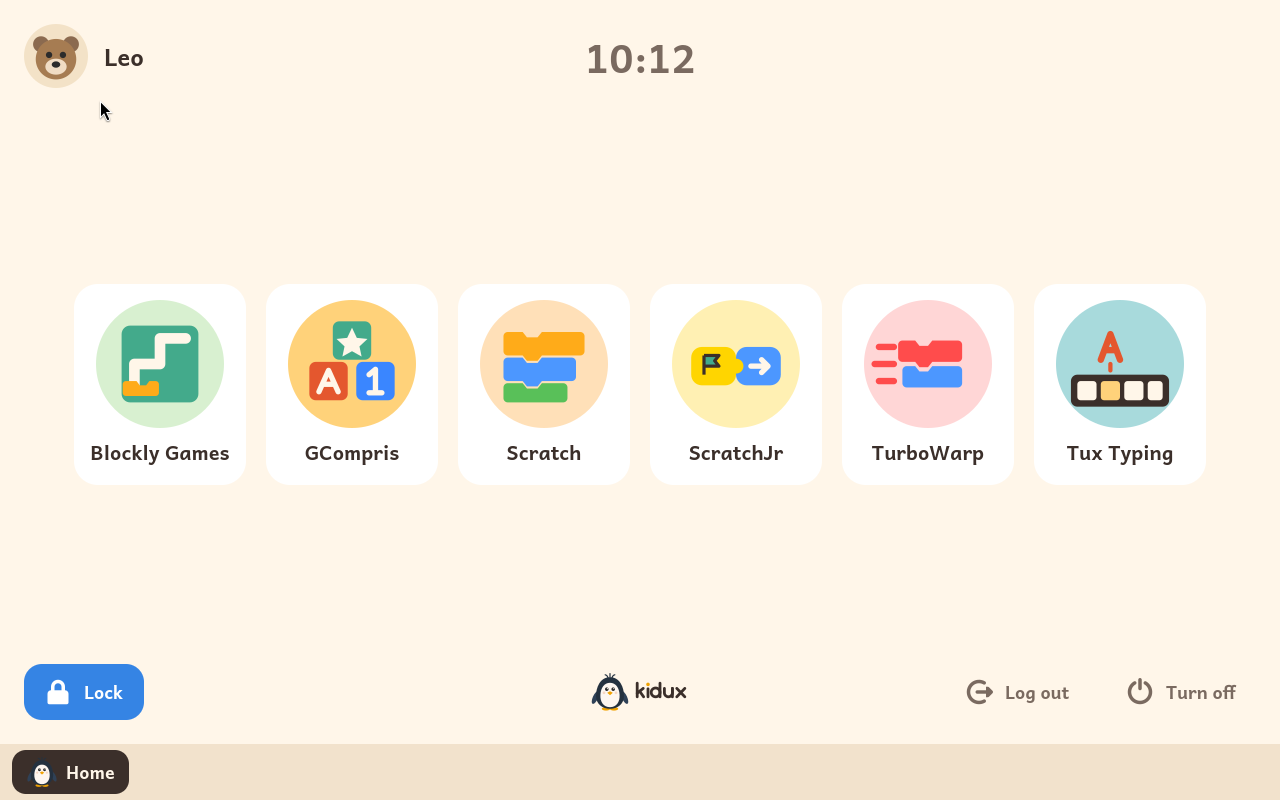
Kidux is a Debian-based Linux built to be a child's first computer: each child signs in with their avatar into a locked session with only the learning programs an adult enabled (Scratch, GCompris, Blockly, BASIC, PhET…), no open web, daily time limits from an adult panel.
Free software (GPL), English and Spanish, runs on old 64-bit PCs with 2 GB. Trial image for VirtualBox/UTM.
v0.2.7, one maintainer, testers aged 4, 6 and 8.
https://kidux.org
#Linux #FOSS #LinuxForKids
Boosted by @welcome@friends.deko.cloud
Hi Mastodon! I'm Ahmet, a developer from Türkiye.
The operating system vulnerabilities of the past months made me want
to build a safer Linux distribution and raise awareness about
hardening. That became SedirOS, a hardened Debian-based server distro.
1.0 shipped this week.
I'm here to get feedback and find out what's still missing.
#introduction #linux #debian #infosec #selfhosted
Do good things
is linux a hard os to use?
asking seriously. because i installed kubuntu after setting up luks2 encryption in installer and it all seemed fine. until i booted into ubuntu and saw grub menu asking for commands . i asked chatgpt it gave complex fixes and stuff. so im now installing windows 11 again and deleted kubuntu.
now im not blaming linux. but this is a genuine question. is linux hard?
i had bitlocker encryption working perfectly on windows 11 no boot issues.